
OUR MISSION IS SIMPLE
To ensure the marketing infrastructure your business depends on is accounted for, supported, future-ready, & powered by award-winning service.360 Care Review
WELCOME – WE'VE GOT YOU COVERED.
Marketing assets can get complicated over time. Websites, domains, hosting, forms, logins, listings, files, and connected tools live across different platforms, providers, and accounts.
Today, we're clarifying support for your marketing tools, people, & assets.

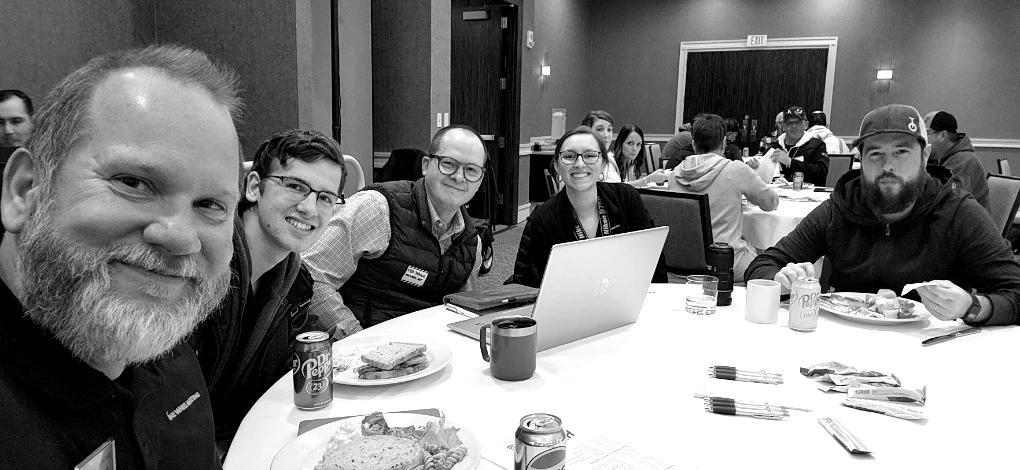
Welcome! I’m Mark Zubert, founder of One Wheel Marketing
We've designed this process to be handled with clarity, respect, and follow-through.
Should you continue to move forward with my team, I'd like to personally meet and thank you. Please book a meeting with me at the 360 Care Review link above so I can say hi and hear your vision & your experience.
THE GOAL

To ensure the marketing infrastructure your business depends on is accounted for, supported, & future-ready.
CLARIFYING WHAT'S UNDER CARE & WHAT'S NEXT
You should know what exists, who controls it, what One Wheel supports, and what needs a clear next step.

This review helps bring the pieces into view before anything is added, removed, transferred, or kept under care.
The goal to make your marketing easier to own, support, and build on.
WHAT MIGHT BE CONNECTED TO ONE WHEEL
Marketing infrastructure gets complex fast – let's keep it healthy & connected
WordPress, hosting, backups, uptime monitoring, SSL, paid plugins, forms, admin access.
Domain registration, renewals, DNS, Cloudflare or security settings, redirects, email-related records.
Google Analytics, Search Console, Tag Manager, Google Business Profile, directory listings, review platforms, social media, email marketing tools.
Credentials, brand files, website files, finished deliverables, system notes, vendor details, and historical project materials. This process helps us identify what is connected, what is still under care, and what should happen next.
WHAT TO EXPECT
Your finished deliverables are yours.
You can talk to a real person.
Your assets under care matter to us.
You have choices about what happens next.
WHAT GETS BETTER


SEO/AEO/GEO
VETERANS
Help keep search visibility, answer content, metadata, and structured content understandable and trustworthy.


ENTERPRISE-LEVEL
DESIGNERS
Help support brand files, page updates, campaign assets, and customer-facing materials.


CAMPAIGN
DESIGNERS
Develop launch-ready campaign concepts, landing paths, creative assets, messages, CTAs, and production plans that move strategy into the real world.


ECOMMERCE ARCHITECTS
Plan and improve store structure, checkout paths, product catalogs, integrations, automations, and reporting foundations that support real selling and better CX.


CMS & HOSTING
SPECIALISTS
Improve WordPress, Shopify, Squarespace, Webflow, MODX, etc so websites are easier to manage, update, connect, protect, and build on.


PRIVATE AI/LLM
ARCHITECTS
Designs private, tokenless, installable AI and LLM capabilities that fit real data paths, approval needs, security requirements, & business workflows.


CRM & PLATFORM
SPECIALISTS
Connect and improve tools like Salesforce, HubSpot, Odoo, forms, pipelines, lists, reporting, and customer data flows so the work is easier to track and use.


SYSTEM-THINKING
STRATEGISTS
Make sure the work fits the business, the communication stack, the approval path, and the team that has to use it after launch.


AD DEPLOYMENT
DESIGNERS
Launch campaigns with audience angles, creative tests, CTAs, landing paths, tracking, and reporting plans built around the accounts and assets already in play.

ENGAGEMENT
STRATEGIST
Design event swag, promo items, gifts, apparel, and customer moments as intentional touchpoints that can drive loyalty, engagement, referrals, and follow-up.


COLLATERAL
ENGINEERS
Connect mailers, signage, sales sheets, print pieces, and physical assets to CRM workflows, automation paths, tracking, and campaign follow-through.


TV & CTV AD PRODUCERS
Develop broadcast, streaming, and connected TV ad concepts with strong hooks, clear messaging, production planning, and campaign-ready deliverables.


MARKETING
ENGINEERS
Translate ideas, goals, and messy tool stacks into buildable marketing infrastructure, clear requirements, implementation paths, and practical next steps.

Option 1:
Continue With 360 Command Center
Best if you want maintenance, same-day help desk, continuity, & a professional marketing foundation.
Stay with One Wheel for ongoing care of approved assets under care.
Coverage may include website care, hosting, domains, tools, listings, forms, access, files, integrations, and other maintained marketing infrastructure. 360CC clients are eligible for all add-on services from One Wheel Marketing – book a free 360 Care Review to learn where you can go with One Wheel. |
Option 2:
Update Items Under Care
Best if something needs to be added, removed, transferred, or clarified.
Use this path if your portal needs cleanup, missing assets need to be added, certain items should no longer remain under One Wheel care, or something needs to be transferred.
Submitting an Asset Update Request gives One Wheel permission to review and handle the update based on the information provided. Simple updates may be handled administratively. More involved requests may require billable support time, a paid Formal Handoff Appointment, or a scoped project. One Wheel may contact you if a request is unclear, blocked, risky, or requires a different support path. |
Not Sure Which Path Fits?
You do not have to sort this out alone.
Book a 360 Care Review and we’ll help clarify what is connected, what needs a clear home, and the simplest next step from here.
WHEN CARE CONTINUES
This is not meant to surprise anyone. It simply means that if One Wheel is still supporting, monitoring, maintaining, hosting, managing access, or keeping approved items under care, that care needs to be connected to a clear monthly support structure.
GET SAME-DAY RESPONSE.
CLEAR SUPPORT FOR APPROVED ASSETS UNDER CARE.

For more details, visit onewheelmarketing.com/cc.
Choose Your Next Step
Continue With 360 Command Center™ Care
NO ACTION IS NEEDED
Best if approved items should remain under One Wheel care. No additional request is needed to continue care. If your approved items remain under care and invoices are paid, 360 Command Center Care continues.
For the Best Experience, Book a 360 Care Review
- Ongoing infrastructure care
- Same-day help desk
- Portal inventory
- Managed hosting where applicable
- Website maintenance where applicable
- Support for approved items under care
- For best experience, confirm your marketing infrastructure using the checklist
- Additional Projects, Strategy, or Campaigns can be scoped separately
Update Items Under Care
Use this path if something should be added, something should be removed, or care is moving from another provider. Care and billing continue for approved items until they are fully removed, transferred, or offboarded. This protects the assets your business depends on and keeps responsibility clear while changes are being handled.
- Submit updates or removal requests through the Asset Update Form.
- Simple updates may be handled administratively. More involved requests may require billable support time, a paid Formal Handoff Appointment, or a scoped project.
- Removed items are no longer monitored or supported
HOW THIS ROLLS OUT
1
Review Your Portal
2
Add What’s
Missing
3
Remove Items from Care
WHAT WE’RE WORKING TO PREVENT
Small marketing issues get expensive when access, ownership, or responsibility is unclear.
Create a dedicated vault
Create a new 1Password vault called:
Shared with One Wheel Marketing
Only place marketing-related credentials in this vault. Do not include personal, payroll, banking, HR, legal, or unrelated company credentials.
This vault should only contain platforms One Wheel needs in order to support your website, marketing, analytics, advertising, social media, forms, email marketing, CRM, reporting, and related systems.
Broken forms, missed leads, outdated listings, disconnected notifications, tracking gaps, and review or directory accounts no one is watching.
WHAT A CLEAR FOUNDATION MAKES POSSIBLE
When assets, access, and support paths are clear, future work moves faster.
Create a dedicated vault
Create a new 1Password vault called:
Shared with One Wheel Marketing
Only place marketing-related credentials in this vault. Do not include personal, payroll, banking, HR, legal, or unrelated company credentials.
This vault should only contain platforms One Wheel needs in order to support your website, marketing, analytics, advertising, social media, forms, email marketing, CRM, reporting, and related systems.
With 360 Command Center as the foundation, your marketing becomes easier to support, improve, and build on over time.
Once the basics are visible and under care, you can add more power when you are ready.
★ Agentic-ready marketing systems